
Miryoku ZMK 
- Contents
- Building
- Miryoku Keymap
- Configuration Options
- Config File
- Example Config File
- Mapping
- Keyboard Keymaps
- Contact
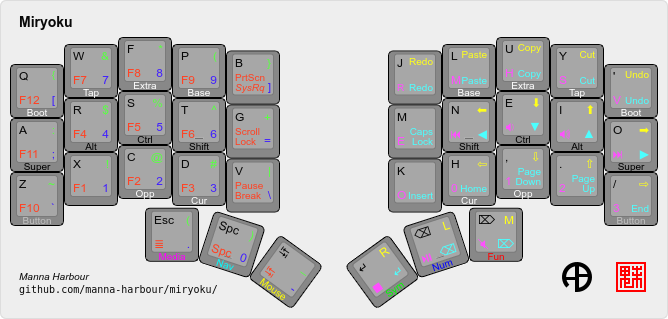
Miryoku is an ergonomic, minimal, orthogonal, and universal keyboard layout. This is the Miryoku implementation for ZMK.
Contents TOC_1
Building
Supported Keyboards
See the various Test workflow files for lists of supported keyboards.
Board Only
Any board supported by ZMK with a keymap in Miryoku ZMK.
Board / Shield Combination
Any compatible combination of board supported by ZMK and shield supported by ZMK with a keymap in Miryoku ZMK.
Out of Tree Boards and Shields
Additionally, some out of tree boards and shields are automatically supported by the included workflows. See .github/workflows/outboards.
Local Builds
Clone this repo and use for ZMK_CONFIG.
GitHub Actions Workflows
Workflow files are in .github/workflows. To access a workflow, log in to GitHub, visit the Actions tab, and select the workflow. To download the firmware from a workflow run, select the workflow, select the workflow run, select the desired Artifacts, and unzip the downloaded zip file.
Supported keyboards and configuration options can be used as values for the corresponding matrix or inputs options.
The kconfig option can be used to generate a keyboard.conf. Join multiple lines with \n.
Build Examples
Fork this repo, copy one of the included Build Example workflow files, edit the name value, and edit the values for each matrix option as desired.
Build Inputs
Fork this repo, select the Build Inputs workflow, select Run workflow, and fill out the form as desired. Multiple (comma and / or space separated) values can be entered in each field. Activate Run workflow, and wait for successful completion.
Prebuilt Firmware
Some prebuilt firmware is available from previous workflow runs.
Miryoku Keymap
The Miryoku keymap is a ZMK DT keymap file using C preprocessor macros for configuration options and to abstract the physical layout. The file is miryoku/miryoku.dtsi. The file is included into the keyboard's keymap with
#include "../miryoku/miryoku.dtsi"Configuration Options
Keymap configuration options and mapping configuration options are given in the documentation in the form option=value.
in Config File
Convert to the form #define option_value. To apply the configuration options to all builds add them to the config file. To apply configuration options to a single keyboard, add them to the keyboard keymap file before any #include lines.
in Workflows
Convert to the form value (uppercase or lowercase) and use with the corresponding option. Use default to represent the default value.
Config File
The config file can be used to provide configuration options for all local builds. The file is miryoku/config.h. See the example config file.
Example Config File
Below is an example config file with the following keymap configuration options:
MIRYOKU_ALPHAS=QWERTYMIRYOKU_NAV=VIMIRYOKU_CLIPBOARD=WIN
// Copyright 2021 Manna Harbour
// https://github.com/manna-harbour/miryoku

#define MIRYOKU_ALPHAS_QWERTY
#define MIRYOKU_NAV_VI
#define MIRYOKU_CLIPBOARD_WIN
Mapping
The keymap is mapped onto keyboards with different physical layouts. The keymap is specified in terms of the MIRYOKU_MAPPING macro. The macro is defined in a C header file for each physical layout. Unused keys are mapped to &none. The files are in miryoku/mapping/. The mapping file is included into the keyboard's keymap file before the Miryoku keymap with e.g.
#include "../miryoku/mapping/36-minidox.h"On each hand, only the main alpha block of 3 rows by 5 columns and the 3 most appropriate thumb keys are used.
Notes
Notes or diagrams are included where the selection of keys is not obvious or where alternatives are provided via mapping configuration options.
34-ferris
MIRYOKU_COMBO_TPS=ENABLE
Combos of primary and secondary thumb keys emulate the missing tertiary thumb key. This configuration option is enabled automatically for this mapping and can be enabled on other mappings for compatibility.
48-planck
Default

Extended Thumbs
MIRYOKU_MAPPING=EXTENDED_THUMBS
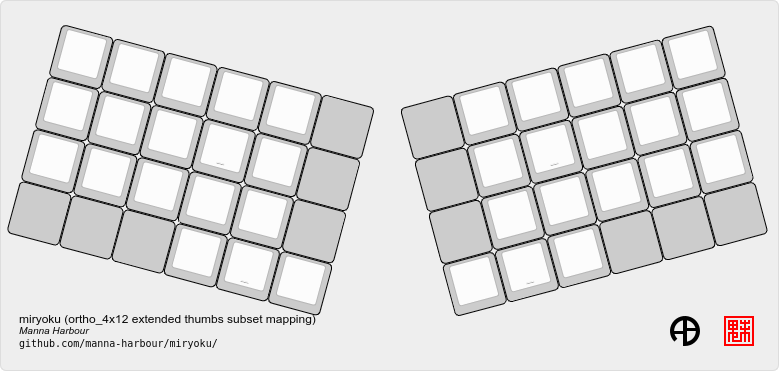
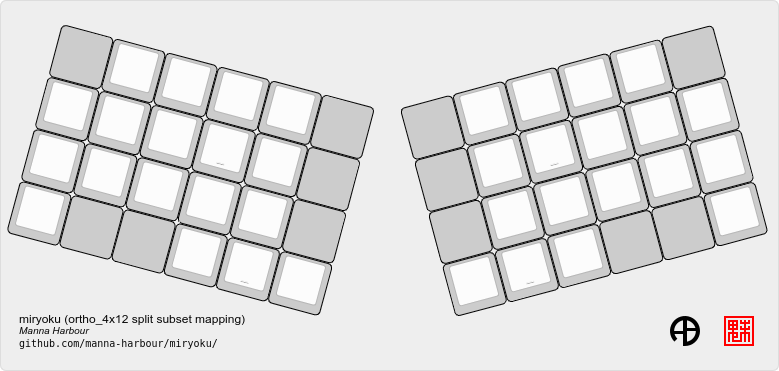
48-lets_split
Default
Pinkie Stagger
MIRYOKU_MAPPING=PINKIE_STAGGER
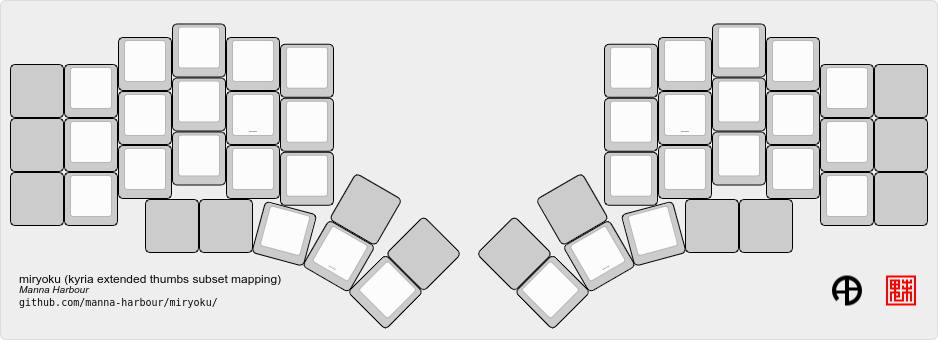
50-kyria
Default
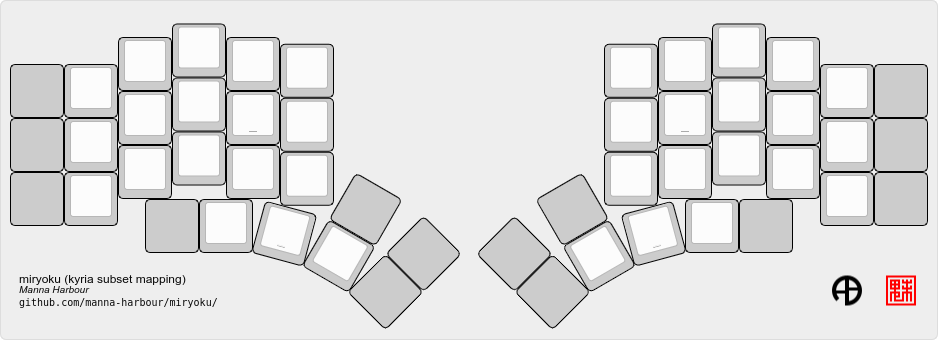
Extend Thumbs
MIRYOKU_MAPPING=EXTENDED_THUMBS
Keyboard Keymaps
Keymap files for many keyboards included in ZMK are provided in config/.
Contact
For feature requests or issues with code or documentation please open an issue.
For more general discussion please contact Manna Harbour.
