
Miryoku ZMK 
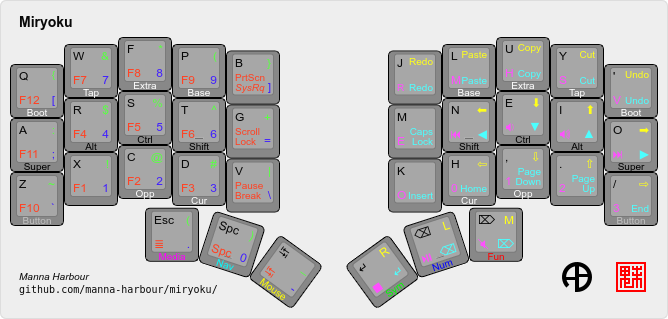
Miryoku is an ergonomic, minimal, orthogonal, universal keyboard layout. This is the miryoku implementation for ZMK.
Contents TOC_3
Miryoku Keymap
The miryoku keymap is a ZMK DT keymap file using C preprocessor macros for configuration options and to abstract the physical layout. The file is miryoku/miryoku.dtsi. The file is included into the keyboard's keymap with
#include "../miryoku/miryoku.dtsi"Configuration Options
todo
Mapping
The keymap is mapped onto keyboards with different physical layouts. The keymap
is specified in terms of the MIRYOKU_MAPPING macro. The macro is defined in a
C header file for each physical layout. Unused keys are mapped to &none. The
files are in miryoku/mapping/. The
mapping file is included into the keyboard's keymap file before the miryoku
keymap with e.g.
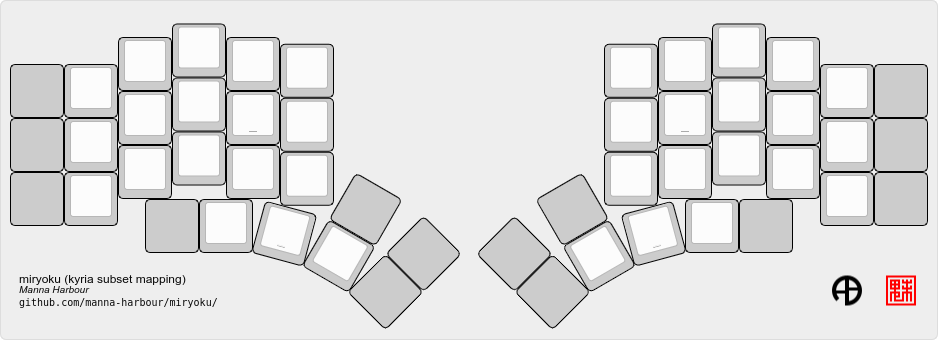
#include "../miryoku/mapping/split_3x5_3.dtsi"On each hand, only the main alpha block of 3 rows by 5 columns and the 3 most appropriate thumb keys are used. Notes or diagrams are included where the selection of keys is not obvious or where options are provided.
Generic Layouts
These mappings can be used by multiple keyboards with functionally identical physical layouts.
todo
jian
Used by:
- jian
- jorne
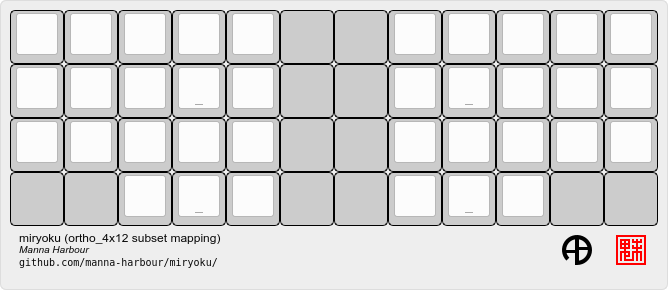
split_3x5_2
Combos of primary and secondary thumb keys emulate the missing tertiary thumb
key. To enable with other subset mappings for compatibility, add #define
MIRYOKU_COMBO_TPS_ENABLE to the keymap before the includes.
Keyboard-Specific Layouts
todo
Keyboard Keymaps
Keymap files for many keyboards included in ZMK are provided in config/.
Prebuilt Firmware
Prebuilt firmware for supported keyboards, built with the default configuration options, can be downloaded from the repo. From the Actions tab select the latest successful workflow run, then select the keyboard in the Artifacts section.
Contact
For issues with the code, including requests for any of the following, please create an issue. Pull requests are also welcome.
- Additional mapping and keyboard keymap files
- Additional mapping options (see miryoku QMK for examples)
- Populating unused keys in
MIRYOKU_MAPPING_TAP(currently skipped for some mapping files)
